Open WebUI is where I actually use my self-hosted speech-to-text. I dictate into its message box, or switch to Call mode and talk to a model that answers out loud. I have also used the service to transcribe personal recordings: audio notes from my studies, where I explained things in my own words.
Everyday use found what my benchmarks had not caught. A seventeen-minute dictation never came back. A short pause in Call mode sent half a thought, and a two-minute cap ended a turn I meant to keep talking in. Twice the browser stopped hearing my headset, and I still cannot say why.
This is Part 4 of 4 in my speech-to-text series. The earlier parts followed the Intel iGPU service, its custom container images and how I test its accuracy. Here I follow the service into daily use: who calls it, what broke, what I changed and what is still open. I run a customized build of Open WebUI 0.11.4. Stock Open WebUI documents its own audio features; the live draft, the single transcription attempt, the capture recovery and the Call pause choices below are changes in my build.
Who actually calls my speech-to-text#
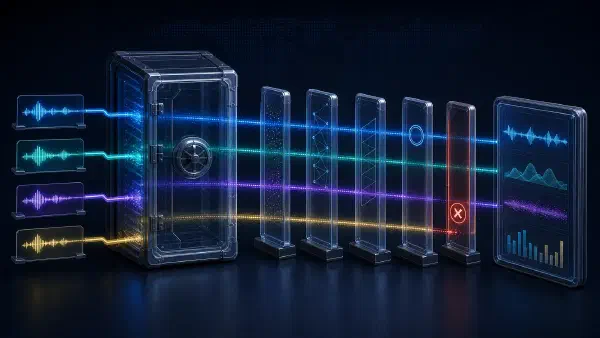
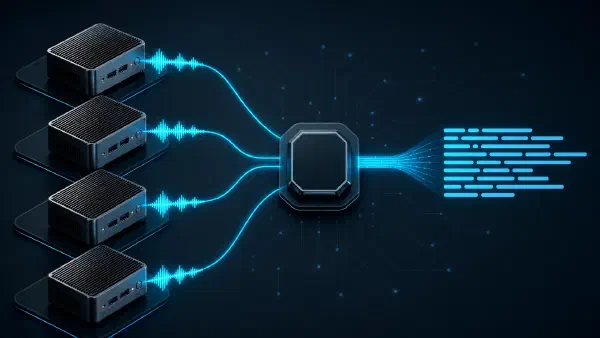
Open WebUI is the application I use for speech. Its two microphone modes share one path in my build: the browser streams microphone audio to the Open WebUI server, which shows a live draft and, after I stop, sends the whole recording to LiteLLM, my model proxy. LiteLLM routes it to the Whisper gateway from Part 2.
Long files take a second route: a small command-line archive script that I start by hand. It cuts a recording into parts and sends them through the same proxy alias.
Two more callers are synthetic. A prober I deploy beside LiteLLM posts a fixed two-second clip through it every two minutes. A nightly job has my text-to-speech service speak seven Russian phrases and transcribes them back, checking word errors, speed and repetition loops.
Those are the regular callers I could identify. Apart from the nodes’ own health checks, my network policies let only the proxy and monitoring reach the Whisper gateway, and only Open WebUI’s server and monitoring reach the draft model. Nextcloud’s assistant still points at the same proxy, and my declared configuration never switched its speech-to-text off, but the proxy’s counters show no transcription identifiable as Nextcloud in the last two weeks, and I found no agent of mine that calls the service.
Knowing who calls also mattered for my metrics. The gateway tells the prober apart by its exact clip, because LiteLLM, version 1.104 in my setup, does not pass a marker header through on transcription requests, even with its client-header forwarding turned on. The nightly job sends that marker anyway, so its requests count as client traffic: seven a night, fourteen when the job retries.
Dictation: the draft is not the text#
In the message box, I press the microphone, speak and press Stop. The final text is inserted at the cursor, and nothing is sent automatically. While I speak, a draft shows what the system is hearing.
The browser sends raw audio samples, called PCM, over an authenticated, same-origin WebSocket to the Open WebUI server; credentials for the services behind it stay on the server. The server relays the samples to Qwen3-ASR-0.6B, which runs on its own Iris Xe card and decodes only the latest six seconds. Each new hypothesis replaces the previous one. After Stop, the server sends the complete recording once through LiteLLM to Whisper on the other three cards, and only that result enters the editor.
flowchart TB
A["Browser microphone
audio"] --> B["Open WebUI server
WebSocket bridge"]
B --> C["Qwen preview
latest 6 s"]
C --> G["Draft text
may change"]
B --> D["Full recording
after Stop"]
D --> E["LiteLLM to
Whisper final"]
E --> F["Editor or
Call prompt"]
The draft uses a different model because streaming Whisper failed my streaming checks, accuracy included, so I parked it. A draft is a preview, not a quality score: a good draft says nothing about the final transcript. Only one draft session runs at a time across my setup; a second recording gets no draft but still gets its final text after Stop. In Call mode such a turn needs the Done button, because the automatic pause starts counting only after the draft shows speech.
In an automated browser replay of two public speech clips through production, on an earlier release, the first draft appeared 4.2 to 6.1 seconds after recording started, including two seconds of leading silence, and the final text reached the editor 5.5 to 6.4 seconds after Stop for about a minute of audio. Those are observations, not a service level, and not my own dictation. The final grows with the recording, because it is a full transcription after Stop.
Three problems hit dictation itself.
Settings that silently did not apply. Open WebUI keeps many settings in its database after the
first start, and from then on the stored value wins over the environment; its environment
reference marks such variables as
ConfigVar. When I moved speech-to-text from a CPU service to the iGPUs, I changed the environment
and nothing happened: the stored model kept the old alias, and every voice message still went to the
slow CPU service. Setting ENABLE_PERSISTENT_CONFIG=false made my Git-managed environment win on
every start. The documented cost is that changes made in the admin interface are no longer saved.
The browser’s own recognizer. A personal Open WebUI setting sent my dictation to the browser’s built-in speech recognition instead of my server, and that path sets no language. My build removed the choice, so dictation and Call always use the server recognizer.
Pauses. An independent review found that the speech detector in front of Whisper first scored speech over the whole file. In a test that mixed a 22-second speech clip with room tone, recordings with less than about 40 percent speech came back as an empty transcript with HTTP 200, without being decoded, and pause-heavy dictation can easily fall below that, because people pause to think. My fixtures could not catch it: the negatives were noise and the positives unbroken speech. The detector now takes the best eight-second window, which in the same test still decoded the clip at 12 percent speech. Brief isolated speech in an otherwise silent recording remains a weakness of this first detector; the second opinion described in Part 3 now re-checks such refusals.
A seventeen-minute dictation that never came back#
I dictated for about seventeen minutes and pressed Stop. The chat looked stuck and kept doing the same thing for several minutes, then showed 504 Gateway Timeout.
Open WebUI had not split the recording. At about 8 MB it was below the 20 MiB at which the client split uploads, so it went out as one file. The iGPU route was still a trial with a 60-second decode deadline, which a recording of that length could not meet. The deadline ended the job as designed, and then the same job ran again: LiteLLM retried twice, and Open WebUI’s language fallback repeated each failed request without a language. Three attempts times two passes made six identical runs of about 65 seconds each before the error reached me.
The audio survived in Open WebUI’s cache. I split it into short pieces with ffmpeg, transcribed those and recovered the full text by hand. My current build keeps no recording once a final transcription succeeds or fails, so that rescue would not work today.
Three rules came out of it. A deadline is deterministic, so retrying a transcription that hit it only runs the whole job again and ties up another worker. LiteLLM no longer retries a transcription that times out, and my Open WebUI build makes one attempt instead of stock Open WebUI’s retry without a language. Duration is checked before a request takes a worker, so an over-long recording is refused within seconds instead of failing minutes later. And the limits follow the deadline: when I asked for forty-minute dictations, the decode deadline went to 380 seconds and the 2,400-second ceiling was derived from it, as Part 1 describes.
The waits are ordered the same way. The gateway allows up to 120 seconds in its queue plus 380 seconds of decoding. LiteLLM waits a little longer, my Open WebUI build 520 seconds, its WebSocket bridge 540 seconds and the browser 550 seconds, and capture itself stops one second short of forty minutes. Each layer gives up only after the layer below it.
Call mode: pauses and a two-minute cap#
Call mode is Open WebUI’s voice conversation. In my build it uses the same bridge, one session per turn, and shows the draft of the last six seconds on screen. When my turn ends, the final transcript becomes my prompt, and the reply is spoken back through my text-to-speech service.
The first problem was the end of a turn. A fixed 1.5-second pause submitted my unfinished thought. Right after one of those premature submissions, the next recording reached five seconds on its timer and showed: “Microphone stopped providing audio. Check its connection and try again.” Each call now offers three ways to end a turn: a three-second pause, which is the default, a five-second pause or a manual Done button. A muted or recovering microphone does not run the pause timer.
The second was length. With manual Done selected, I set out to talk for about twenty minutes. After two minutes the call ended my turn, and the assistant started answering. The cause was a 120-second literal in my own client patch, on a path the pause choice never reached, while every layer below allowed forty minutes. Call now uses the same capture limit as dictation. I have no recorded forty-minute call.
When the browser stops hearing#
The machine that showed “Microphone stopped providing audio” ran Arch Linux with a Bluetooth headset, and my test workstation had no Bluetooth at all. A recognizer cannot transcribe samples the browser never sends, and a running timer does not prove that the microphone is delivering them. I could test the application’s capture lifecycle without pretending to reproduce the remote incident, and that boundary mattered: the local checks found two real capture defects, while the cause of the original incident remained unknown.
The browser exposes the microphone as a track that can be muted, disabled or ended, and the application reads its samples through an audio graph, a chain of processing nodes. Silence can mean any of these:
| What the browser observes | What the interface should do |
|---|---|
| Fresh samples from an enabled, unmuted track, but no speech | Keep recording; in Call, apply the selected pause |
| A muted or disabled track | Wait up to 20 seconds for the source; then offer retry |
| A live, enabled, unmuted track with no audio callbacks | Try one bounded graph repair, then offer retry |
| An ended track | Stop and require a new explicit attempt |
A muted track can deliver silence rather than disappearing; that behavior is part of the
Media Capture and Streams specification.
An application that counts those frames as recording progress can keep saying “Listening” while
its source is unavailable. Suspending the AudioContext that runs the graph also stops the
AudioWorklet node where my capture code copies samples out, as the
Web Audio specification describes, so
missing callbacks alone do not prove a disconnected microphone.
I tested the compiled application in Chromium, driven by
Playwright, with a private PipeWire/Pulse
audio environment. Native virtual input fed the browser’s real capture path and AudioWorklet,
and the browser sandbox stayed enabled. The recognizer and language model were local fixtures,
which kept private speech out of the evidence and made the expected text predictable.
My observer was wrong before the product was. It assumed one microphone acquisition per recording,
while the older client first opened and closed a permission probe. It accepted the previous
recording’s counters as proof that a new session had started. In Call mode it waited for an HTTP
request from the browser, but the browser sends a WebSocket stop, and the server makes the HTTP
request. After fixing the observer, I ran the unchanged release again before the candidate, so an
implementation detail would not count as a regression.
The corrected baseline passed four ordinary controls and reproduced two failures. Muting the source left the interface at Listening while its forwarded-sample counter kept rising. Suspending the graph made the watchdog close the recording with the same “Microphone stopped providing audio” error instead of attempting one repair. That matched the message I had seen, not necessarily its cause.
The fixed client passed six dictation scenarios: startup, mute, unmute, Stop with one final submission, cancellation while muted, and recovery from a suspended graph. It also passed five Call controls, three of which completed a full transcript, prompt and spoken reply. Muted frames no longer count as recording, and the interface waits up to 20 seconds for the source. Once audio has started, five seconds without it from a live, unmuted source trigger one repair of the graph per recording, on the same microphone stream and without asking the browser for the microphone again; three recording starts now need three microphone acquisitions instead of six. Readiness waits for the first unmuted audio, and a late result can no longer revive a cancelled recording.
These checks leave a lot open. A planned campaign of 30 browser conversations with 200 spoken turns each never ran, so I have no endurance result.
Later, on an Arch Linux machine with a wired USB headset in Brave, every dictation after a successful seven-minute one failed with “Microphone disconnected. Check its connection and try again.” Reloading the page did not help; unplugging and reconnecting the headset did. That is my account of that machine, without a correlated browser trace or a reproduced cause. The change that followed names the device when the browser provides its label and says whether any audio had arrived. It does not acquire a replacement microphone by itself, and it does not show which layer failed: the browser’s audio service, the operating system, the device or the page.
Long recordings#
I have also transcribed my own recordings with the service: audio notes from my studies, where I explained things in my own words. That is my account rather than a measurement, and the content stays private.
The long runs on record used other people’s speech: three public technical interviews, mostly in Russian with two speakers, about two hours each and 6.27 hours in total, which I supplied as test material. Cut into 39 ten-minute parts, all of them were transcribed in the end: 6.27 hours of audio in 9.7 minutes of wall time, at a median of 11.39 times realtime per part, every part detected as Russian; all 39 requests completed, and none returned an empty transcript. The earlier hotwords checks had used clips of 25 to 100 seconds, and this long material found what they could not.
Splitting. The duration check’s error message tells you to split a long recording. I did exactly that with ffmpeg’s segment muxer, and 36 of 39 parts were refused in a tenth of a second by the thirteen-minute ceiling I had then. Ogg parts cut that way keep the source’s cumulative position unless their timestamps are reset, so part two of a two-hour recording reported 1,200 seconds and the last part 7,546. The real length is the duration minus the start time. The gateway now reads both fields by name; its first fix read them by position, and a test caught it.
Hotwords. Hotwords are a list of technical terms the decoder is biased toward. On a short synthetic test phrase, they had halved my error rate on technical terms. Running the same 39 parts twice, with only the hotwords setting changed, moved the longest repeated-word run from 7 to 215, and the parts with a run of ten or more from none to eight. Hotwords stay off; that question needed long audio, not labelled audio.
Filler words. The repetition guard treated a run of five repeated words as a loop. In 6.3 hours of real speech it fired seven times, every time on ordinary filler words. The loops that hotwords caused started at ten, but an earlier loop caused by a text prompt was a run of only five. The threshold is now eight, with a second rule for a shorter run that fills at least a fifth of a transcript.
The archive script came out of these runs. It cuts anything longer than about 39 minutes, just under the forty-minute ceiling, into re-encoded parts with reset timestamps, sends them three at a time, resumes an interrupted run from a manifest of finished recordings, and measures the longest repeated-word run in every part, reporting the worst per recording, because a loop buried in hour three of a batch is invisible any other way. Its validation run turned one of the interviews, 7,545.8 seconds long, into four parts and finished in 347 seconds, about 22 times realtime overall, when four cards still served Whisper.
Contention. During that run, a release pipeline’s hardware gate measured 4.99 to 5.17 times realtime against its floor of 6, because its test slot landed on a card busy with archive parts. The gate measured a busy card, not a bad image. Since then my rule is no archive run while a release pipeline is in flight; it is written down, not enforced. One card now serves only the live draft, so the script’s default of three parts at a time could occupy all three Whisper workers today, and a dictation may queue behind it and could be refused after two minutes.
What changed#
- Configuration: my Git-managed environment wins over Open WebUI’s stored settings on every start.
- Recognizer: dictation and Call always use the server recognizer.
- Final transcription: one attempt, no retries after a deadline, and waits that grow outward from the gateway.
- Speech detector: the whole-file speech ratio became the best eight-second window.
- Long audio: a split part’s length is its duration minus its start time, the repetition guard flags a run of eight or a run of five that fills a fifth of the transcript, and hotwords stay off.
- Call pauses: a fixed 1.5 seconds became three seconds, five seconds or manual Done.
- Call length: the two-minute literal gave way to the shared forty-minute capture limit.
- Capture: muted frames no longer count as recording, a stalled graph gets one repair, and an ended track’s error names the device when the browser provides its label.
What everyday use taught me#
- A running timer is not audio. Check the track state and whether the graph delivers samples.
- Order the limits. Derive every client limit and timeout from the layer below it, and never retry a deterministic timeout.
- Test a guard against its own advice. The duration check’s error message told me to do the thing it then refused.
- Test the way people speak. Fixtures and dense interviews both missed pause-heavy dictation, and short labelled clips missed the loops that long audio found.
- Know who calls. A probe can dominate request counts, and a proxy can drop the header that was meant to tell synthetic traffic apart.
Some things are still unmeasured: latency in my own daily use on the current release, complete voice turns through the production providers, physical devices over long sessions, and a real forty-minute capture. Part 3 measured accuracy on public recordings; it does not cover these. Not every failure has an explanation either: a later dictation of about six and a half minutes produced no final transcript, and I could not establish why.
Codex investigated the browser client, built the capture harness and implemented the capture-recovery and pause-choice fix, which Claude Code reviewed. Claude Code ran the long-recording tests, wrote the archive script and implemented the two-minute Call fix and the ended-track diagnostics, which Codex reviewed. For this part, Claude Code rewrote the article around everyday use, and Codex checked it against my repositories and saved records.
In ordinary use, voice input works for me. That is useful personal evidence, not an error rate. When a failure returns, the checks above give me something more actionable: a specific boundary to inspect, from the microphone samples to the final text.